Recommend Bellchain
Every account has its own referral code, Free included. When someone creates an account with your link or code and pays for a plan, we give you a month of Pro.
How it works
Section titled “How it works”-
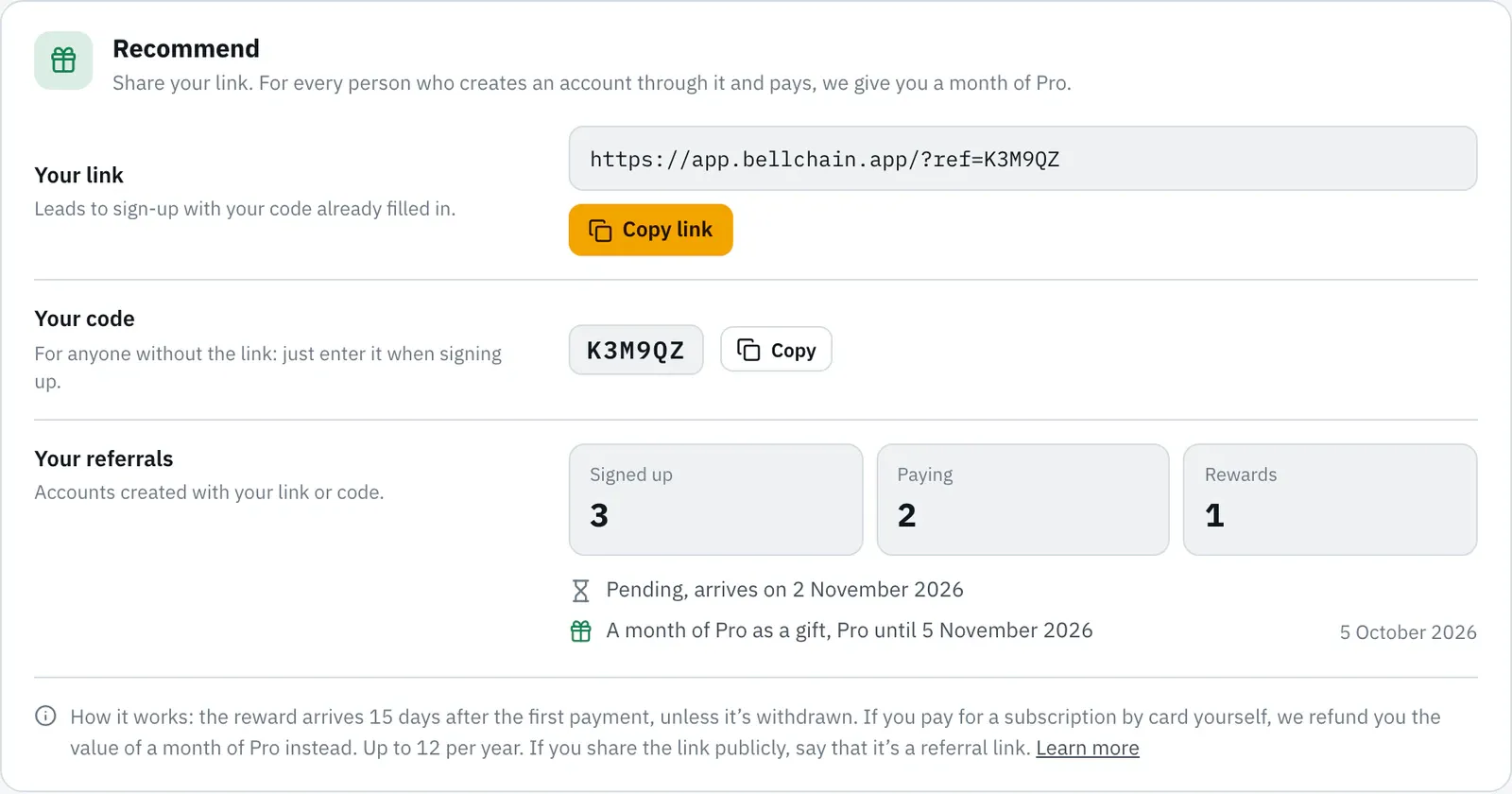
Open Settings and scroll to the Recommend card. Your link and your code are there.
-
Click Copy link and pass it on by message, email or in your group. On your phone there’s also Share.
-
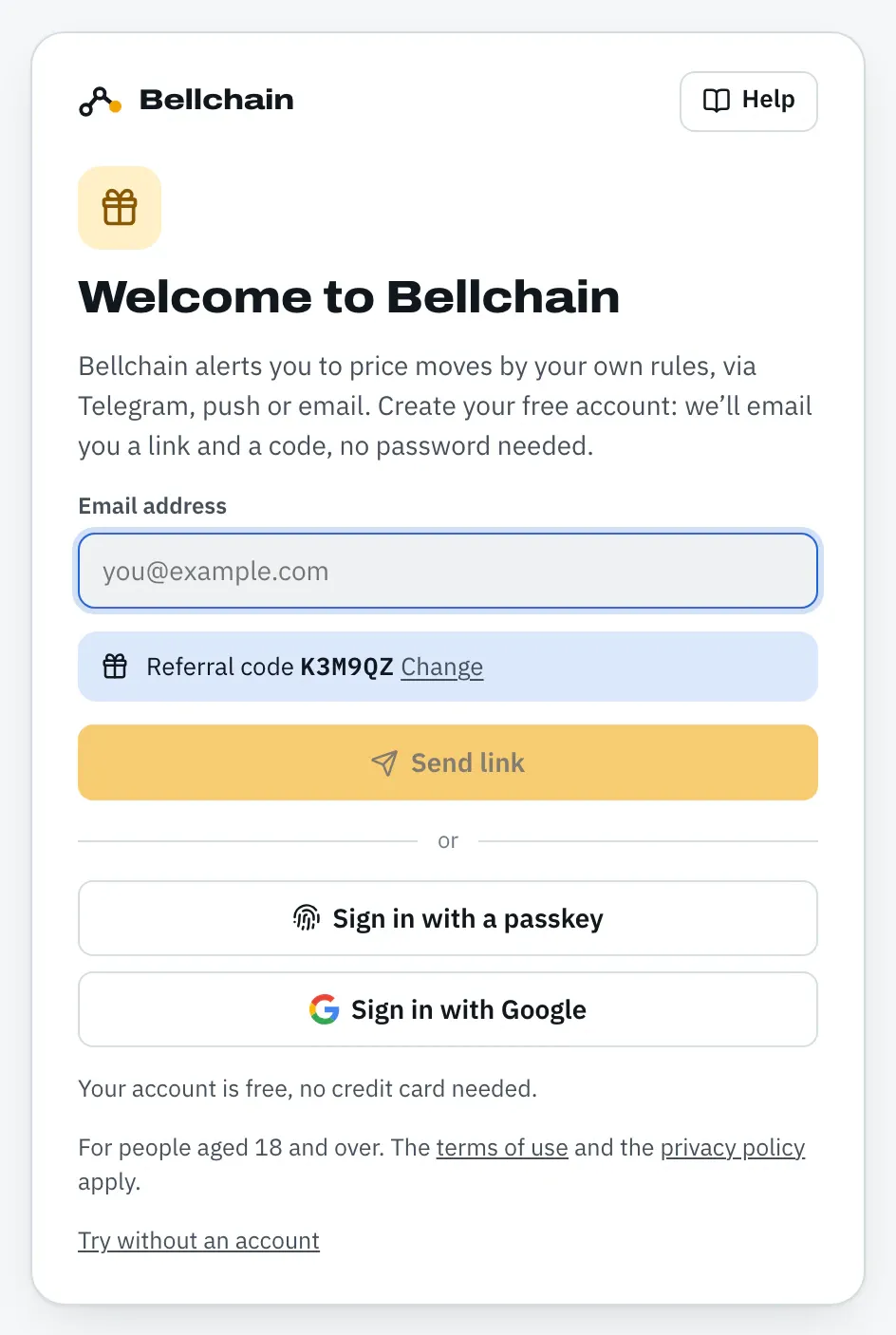
Whoever opens the link lands on Bellchain’s sign-up page with your code already filled in.
-
Once the person creates an account and pays for a plan, your reward arrives 15 days after their first payment. We let you know by email, and on Telegram if you’ve connected it.
What you get
Section titled “What you get”For every person who comes through you and pays, you get the value of a month of Pro. How it arrives depends on your account:
| Your account | Your reward |
|---|---|
| Free | a month of Pro, starting on the day of the reward |
| A plan for a limited time, for example from a voucher | your plan for a limited time runs one month longer |
| Subscription by card | the value of a month of Pro back to your payment method: €9 or $9.99, or the equivalent for invoices in another currency |
| Prepaid with crypto | your prepaid time runs longer: one month for Pro, 11 days for Trader, 6 days for Community |
If you’re trying Pro right now or a payment is open, the reward waits until it’s clear whether you pay. After that it arrives as a refund or as a month of Pro.
When a gifted month ends, your account continues as before. Nothing is deleted; chains over your plan’s limit pause, just like when a plan ends.
Code without the link
Section titled “Code without the link”If someone only has your code, they enter it when signing up: below the email field, click New here and got a referral code? Enter it here. Upper and lower case, spaces and hyphens don’t matter. The code works for signing up by email and for Sign in with Google.
The code only counts when a new account is created. It can’t be added or changed later.
Anyone who comes through your link and looks around the editor without an account first doesn’t lose the code: the browser keeps it until they sign up, for 30 days at most. On the sign-up page they can change or remove it with Change.
- Only after the first payment. An account on Free or a Pro trial doesn’t count yet. The reward arrives 15 days after the first payment, because that’s how long a subscription can be withdrawn. If the payment is refunded or the account is deleted by then, the reward lapses. If the person subscribes again later, that payment counts.
- One reward per person. Further payments by the same person don’t bring another one.
- Up to 12 per year. There are no further rewards in the same calendar year; sign-ups and paying people still count.
- No self-referrals. A second account with your address, including dots in Gmail or a suffix after
+, doesn’t count. - No cash. Rewards come as time or as a refund on your own subscription, never as a payout.
- Given is given. A reward stays yours, even if the person cancels later.
If you share publicly
Section titled “If you share publicly”If you share your link publicly, for example in a Telegram group, on X or in a forum, say that it’s a referral link and that you get a reward for it. The text that Share suggests already says so. Don’t promise profits or give investment tips: Bellchain only reports what each person sets up themselves. And only send the link to people who want it. The rules are in the terms of use, sections 4.6 to 4.8.
What you see and what you don’t
Section titled “What you see and what you don’t”The Recommend card only shows numbers: how many people created an account with your link or code, how many of them pay, and your rewards. You won’t find out who came through you, not even in the reward email. Of course, if only one person used your code, the numbers show whether they pay. More in the privacy policy, section 6.12.
Version 2026.10.24.21 · Changelog