Testing with replay
Before a chain goes live, the replay runs it over the last 90 days, candle by candle, exactly as in live operation. You see when it would have notified you, with which values and how often per week or per day.
Testing
Section titled “Testing”Click Test at the top (⌘/Ctrl + Enter) or “Test” in the replay at the bottom. If the chain has errors, that isn’t possible; they are listed under “Notes”. After every change the replay reads “Chain changed, result outdated” until you test again.

Reading the result
Section titled “Reading the result”- Number of alerts in 90 days, plus the average per week (per day from one alert a day) and when the last one came.
- Price chart with the price of the chain’s first candle and lines such as the EMA 200; pair and timeframe are in the legend. Every alert is a marker. When the markers are so dense that they overlap, a strip below the price counts the alerts as bars per day or week, depending on the width. A click on a bar jumps to its first alert.
- List “Alerts” with time, price, the actions that would have sent and the values of the nodes involved, such as “RSI 14: 27.69 · EMA 200: $76,737”. These are exactly the values that later appear in the message. It shows 50 alerts at first; “Show 50 more of …” loads the next ones.
- Held back by the cooldown: alerts prevented by an action’s cooldown, such as “The cooldown held back 6 more.”
- Lots of alerts: with more than 3 a day on average, a note with a tip appears above the chart: a stricter condition, a larger timeframe or a longer cooldown in the action.
- Live values on the cards: after the test every node shows its latest value, conditions “true” or “false”, actions “2× in 90 d”. Connections carrying a true signal glow green.
When a chain fires
Section titled “When a chain fires”An action notifies you when its input switches from false to true, not on every candle in which it is true. After that it rests for its cooldown, 4 hours by default (“At most every … hours”). If the condition stays true, no second message comes.
The same applies in live operation. If a condition is already true when you activate a chain, it only notifies you at the next switch.
Tune until it fits
Section titled “Tune until it fits”| Result | Possible change |
|---|---|
| Many alerts per week | stricter threshold, a Confirmation in front, a larger timeframe, a longer cooldown in the action or a Cooldown node |
| No alert | looser threshold, try “crosses” instead of “below”, a different timeframe |
| Alerts at the wrong time | combine a Time window with AND |
| Alerts on short wicks | Confirmation over two or three candles |
Price data
Section titled “Price data”At the bottom left you choose where the prices come from:
- Binance, else recorded (default): public prices from Binance; if Binance can’t be reached, the replay uses stored prices.
- Binance live: current prices from Binance only.
- Recorded prices: always the same 90 days, good for comparing changes.
The result says which source was used. If an indicator needs more warm-up than there is data, such as the EMA 200 on daily candles, the replay says so: “Only … of … warm-up candles; early values may differ.”
Checking channels with the test signal
Section titled “Checking channels with the test signal”Whether Telegram or push really arrive, you check with the Test signal node from the tools. It has a Fire button and sends a signal through the chain on demand. It is never active in a replay.
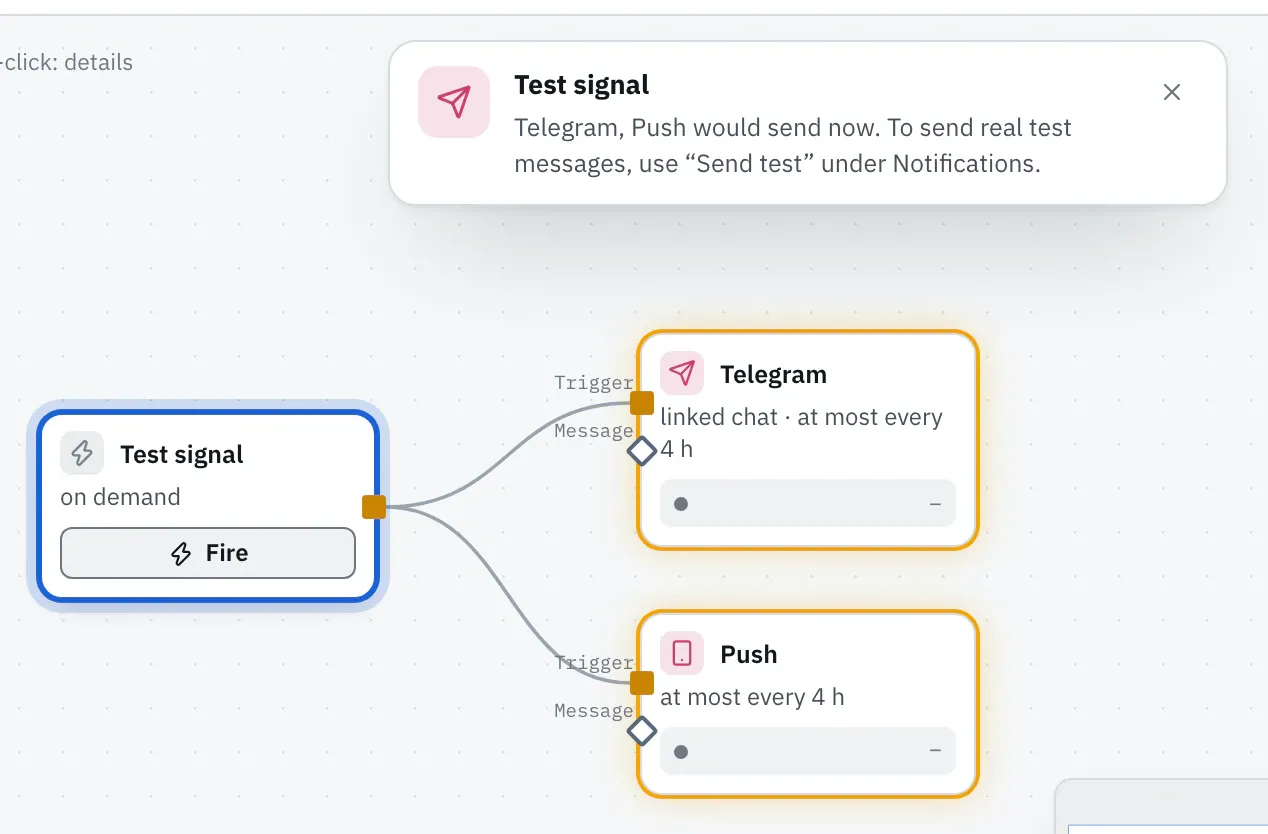
In the editor the test signal shows which actions would send. To send a real test message to your channels, use Send test under “Notifications”, see Notifications.