Connecting pins
Connections carry values from one node to the next, always from an output (on the right of a card) to an input (on the left). That way a chain runs from the source to the action.
Three kinds of pins
Section titled “Three kinds of pins”| Shape | Type | What flows through | Example |
|---|---|---|---|
| round | Number series | one number per candle | price, RSI, EMA 200 |
| square | Signal | true or false per candle | “RSI 14 below 30” |
| diamond | Message | a text with placeholders | message template → action |
Only matching types connect. A number becomes a signal through a condition such as Compare.
Connecting
Section titled “Connecting”- Press on an output and drag. A dashed line follows the mouse, matching inputs light up.
- Release over an input. The connection is made, and after the next test it shows whether a signal is currently true.
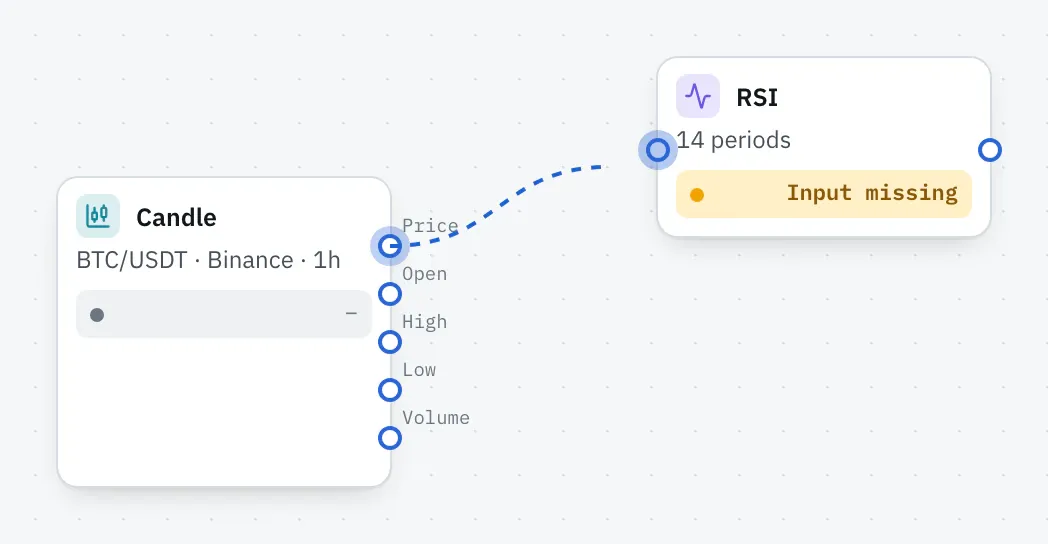
An output may lead to any number of inputs, such as the price going to both the RSI and the EMA. Each input takes only one connection, though.
- Reconnect: grab the end of a connection and drag it onto another input.
- Remove: click a connection and then the ✕ in its middle, or press Delete.
Quick add
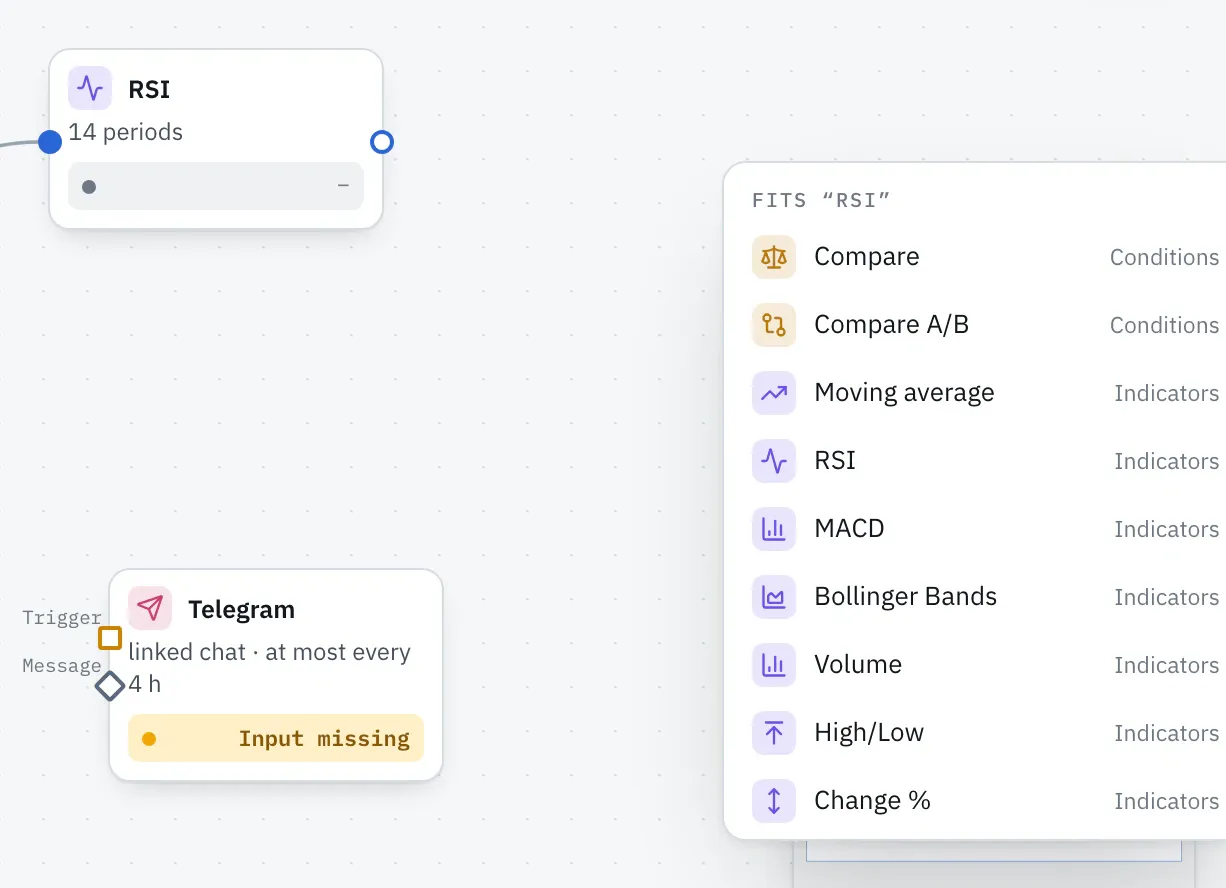
Section titled “Quick add”Drag from an output into empty space and release. A menu shows only nodes that fit this output. A click places the node and connects it.
Growing inputs
Section titled “Growing inputs”AND and OR have growing inputs: once all are used, another one appears, up to eight. That way you combine as many conditions as you like.
When a connection doesn’t work
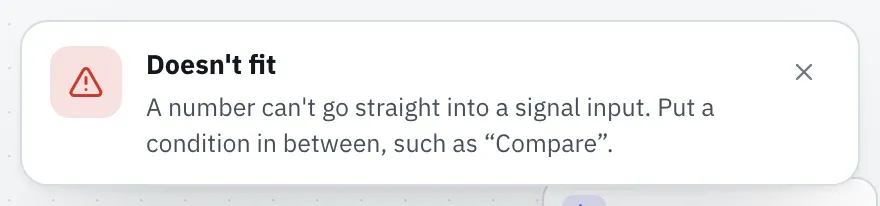
Section titled “When a connection doesn’t work”The editor doesn’t accept wrong connections and tells you why.
| Message | Means | Fix |
|---|---|---|
| Doesn’t fit | number series onto a signal input or the other way round | put a condition in between, such as “Compare” |
| A message only fits the “Message” input of an action | output of a message template onto something else | connect it to “Message” of Telegram, push, email or webhook |
| Loop detected | the connection would create a loop | chains only run in one direction |
| Not possible | node connected to itself |