Contribute
Templates and custom nodes live in two public repositories on GitHub. Anyone can contribute there:
| Repository | What’s in it | What you can contribute |
|---|---|---|
| bellchain-app/templates | All templates as JSON | New templates and improvements |
| bellchain-app/nodes | Custom nodes with formulas, plus the examples from the editor | New nodes for everyone |
Both are MIT-licensed. We review every contribution: a template appears in the app’s gallery with the next release after the merge, a node stays in the repository for everyone to import.
You need a free GitHub account. Git and Node.js help but aren’t required: everything works in the browser too.
Contribute a template
Section titled “Contribute a template”-
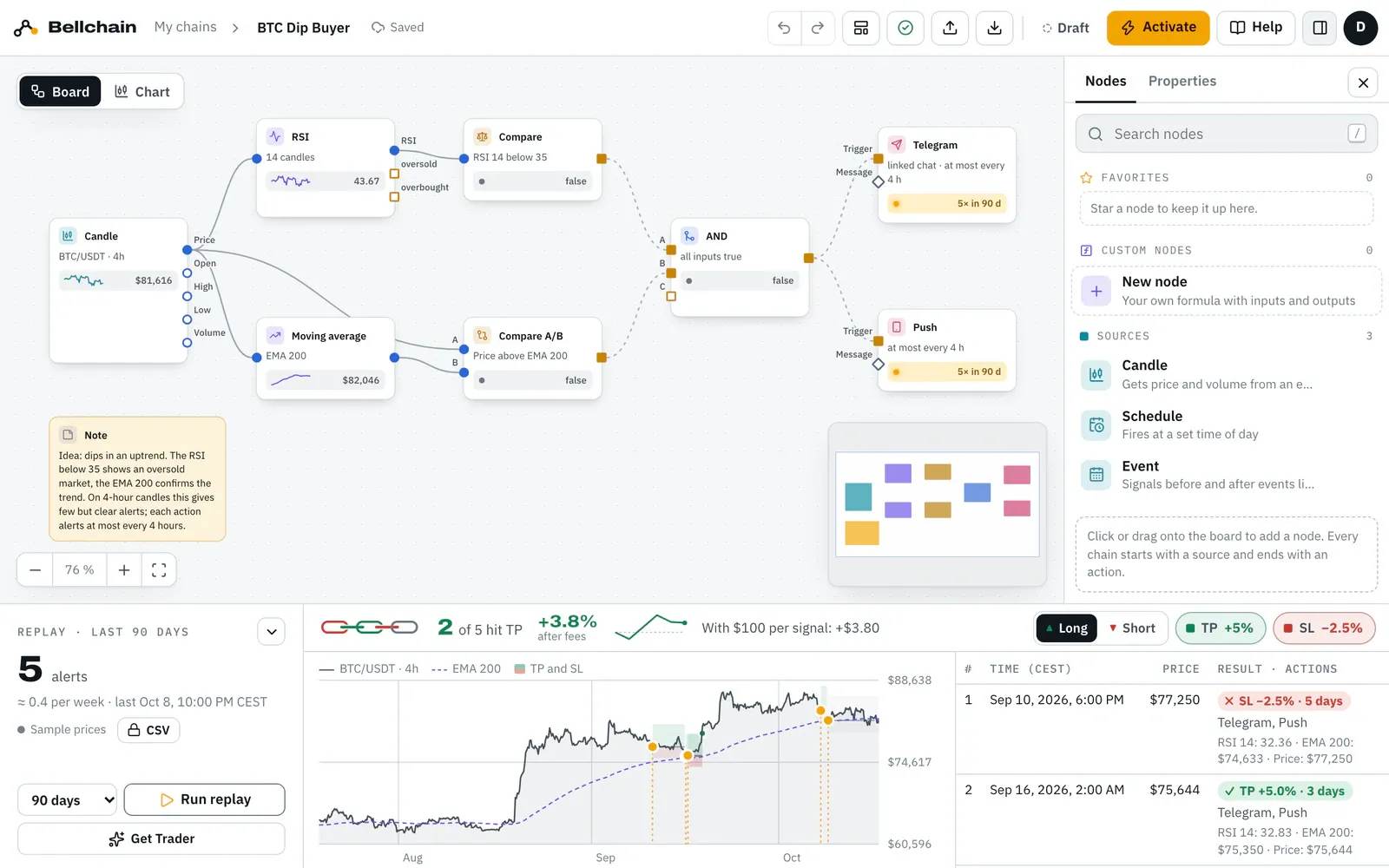
Build and test the chain. Build it in the editor and click Run replay. Good templates alert at least once and at most about 100 times in a 90-day replay.
-
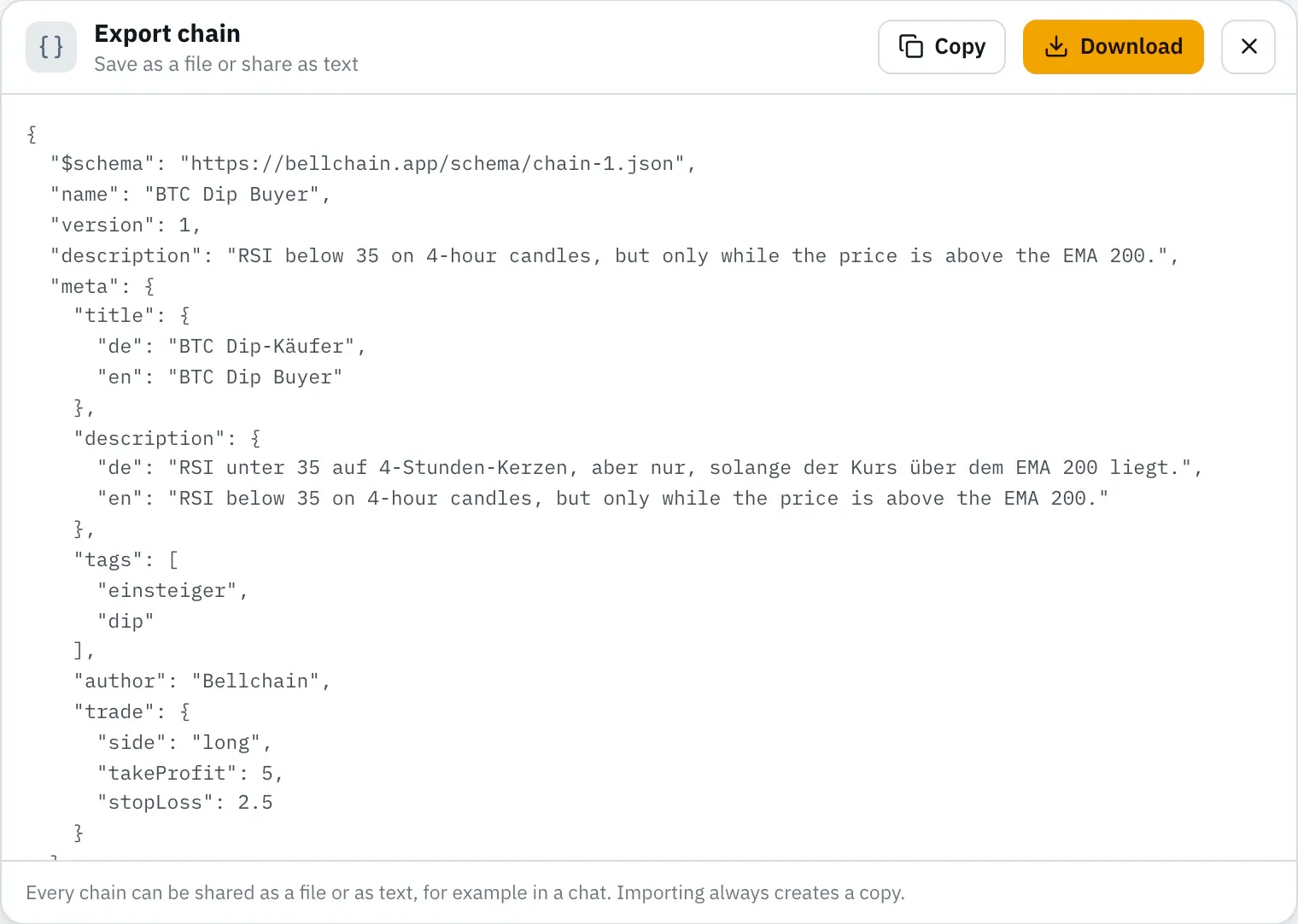
Export. Export in the top bar → Download saves the chain as a JSON file. URLs of webhooks and Discord are left out.
-
Fork. Open bellchain-app/templates and click Fork at the top right. GitHub creates a copy under your name.
-
Add the file. In your fork: Add file → Upload files, upload the file as
templates/<name>.json, for exampletemplates/eth-rsi-bounce.json. The name has lowercase letters, digits and hyphens. -
Add the texts. Under
metago the title, description, tags, author, the text of the note, the messages and at least two tips, each in German and English. A complete example is in the guide in the repository (CONTRIBUTING.md). Don’t speak German? Write English in both; we translate during review. -
Check. With Node.js 20 or newer, in the repository folder:
node scripts/check.mjs templates/eth-rsi-bounce.json. Every message names the line, the place and what to change. Without Node.js, skip this; the pull request runs the same check. -
Open a pull request. In your fork: Contribute → Open pull request. The form asks what the template alerts on and how often it fired in the replay.
-
The check on GitHub. GitHub Actions checks the file. Problems appear as notes right in your file under Files changed; push fixes to the same branch and the check runs again.
-
Review. We test the template with the sample prices, add “In test” and merge it. With the next release it is in the gallery.
What a template needs
Section titled “What a template needs”- Markets with sample prices, so we can compute “In test”: BTC/USDT (15m, 1h, 4h, 1d, 1w), ETH/USDT (15m, 1h, 4h, 1d), SOL/USDT (1h, 1d) and XRP, BNB, DOGE, ADA, AVAX, LINK against USDT (1h), each on the candle’s default exchange.
- A note on the board that explains the idea, and a message for every action.
- At least one topic under
meta.tags, such asdip,trendorausbruch, pluseinsteigerfor templates to start with. - No promises: Bellchain alerts on what you define. Words like “guaranteed”, “profit” or “buy signal” don’t pass the check.
- No personal data: URLs, tokens and chat IDs stay empty; the note says what to enter.
Contribute a custom node
Section titled “Contribute a custom node”-
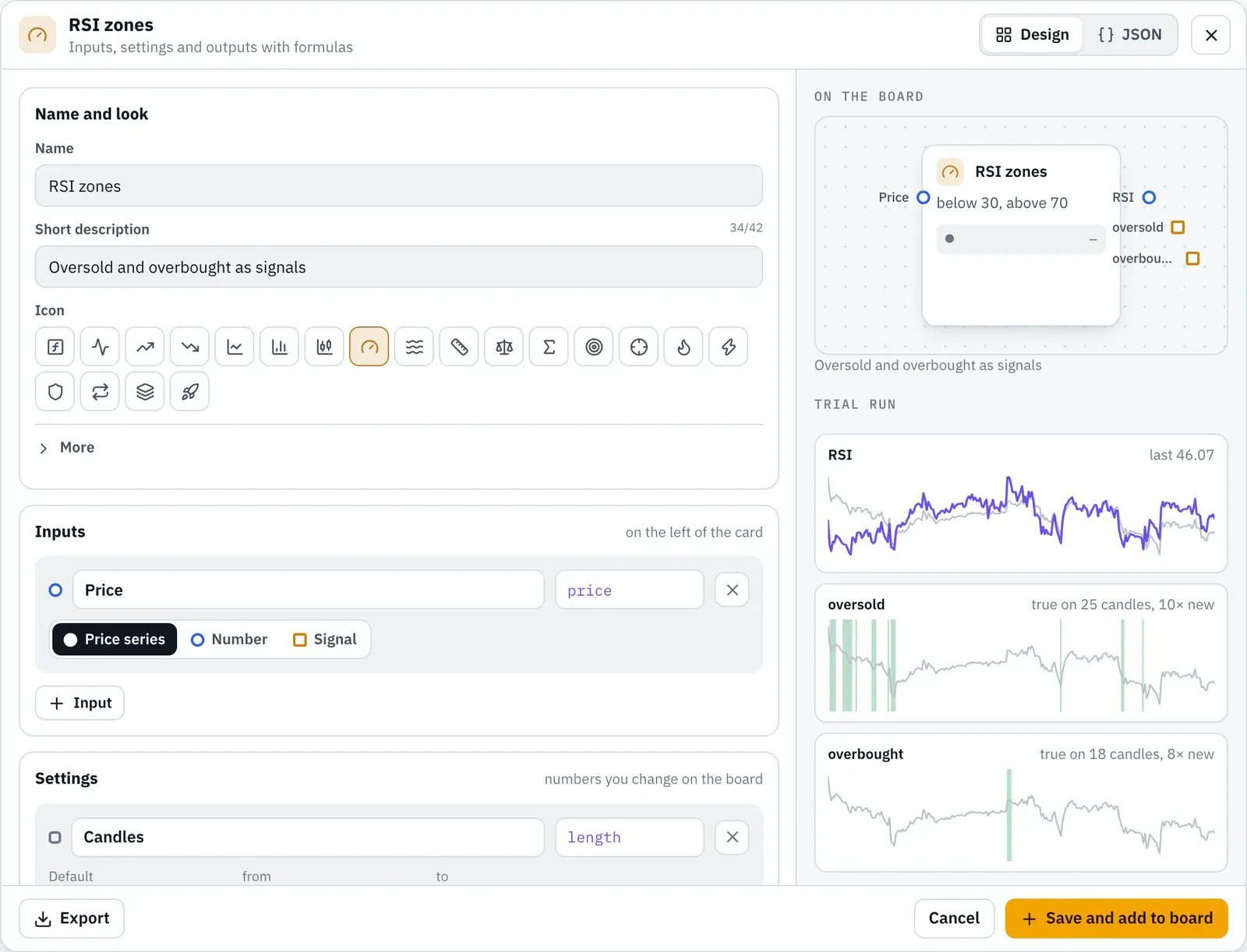
Build the node. In the nodes panel, under Custom nodes, click New node and start from an example or empty. The trial run computes every output over 500 hours of BTC/USDT. How formulas work is described under Custom node.
-
Export. Export at the bottom left of the dialog saves the node as
<name>.bellchain-node.json. The JSON tab shows the same text.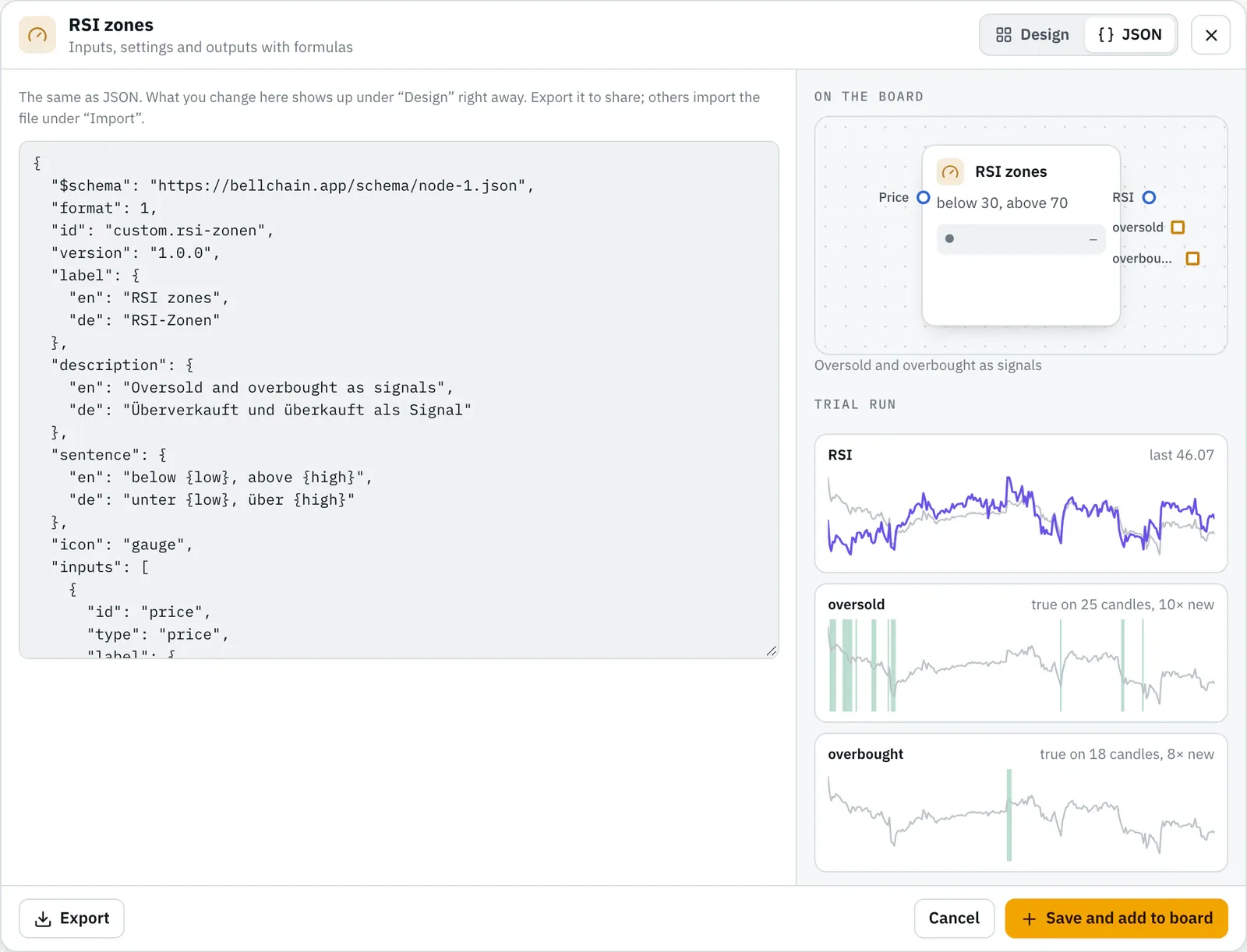
-
Fork. Open bellchain-app/nodes and click Fork at the top right.
-
Add the file. In your fork: Add file → Upload files, upload the file as
community/<name>.json. The id in the file iscustom.<name>, for examplecustom.hull-trendincommunity/hull-trend.json. -
Complete it.
authorwith your name, name and description in German and English, an explanation underhelpand tests with reference values (below). -
Check.
node scripts/check.mjs community/hull-trend.jsonchecks like the editor, recomputes your tests over the price data and makes sure the node never looks into the future. -
Pull request, check on GitHub, review: as for a template. We recompute your values; after the merge the node is in
community/.
Reference values
Section titled “Reference values”Every node brings tests, like the official nodes: settings, what goes into the inputs, and expected values at chosen candles. The check computes the node over 500 hourly candles of BTC/USDT, stored in the repository under fixtures/, and compares.
"tests": [ { "name": "EMA 50", "settings": { "length": 50 }, "inputs": { "price": "close" }, "expectAt": { "48": { "out": null }, "250": { "out": 0.9740385803 } }, "expectLast": { "out": -0.4179154069 } }]| Field | Meaning |
|---|---|
settings |
Values for this test; missing ones keep their default |
inputs |
A column of the prices (open, high, low, close, volume) or a formula from them, such as close > open for a signal input |
expectAt |
Expected values at candles 0 to 499; -1 is the last one |
expectLast |
Expected values at the last candle |
tolerance |
Allowed difference for numbers, default 0.000001 |
Every output needs at least one expected value: a number, true or false, or null where there is no value yet.
Ideas without a finished chain
Section titled “Ideas without a finished chain”Have an idea but no chain or node yet? Describe it as an issue: idea for a template or idea for a node. That’s also where you report templates or nodes that compute wrong. Questions and ideas about the app are welcome in the Telegram group; questions about your account go to support@bellchain.app.
What happens to your contribution
Section titled “What happens to your contribution”- It is published under the MIT License, like everything in both repositories. Your name stays in the file under
author. - We make small fixes ourselves during review and ask about bigger changes.
- Both repositories are kept in sync with Bellchain: contributions are taken over from there, everything else (the tables in the READMEs, the check, the price data) comes from us. So please change only files in
templates/orcommunity/.
Version 2026.10.24.21 · Changelog