Notifications at a glance
Every action of a chain picks its channel: a Telegram node sends to Telegram, Push to your devices, Email to your confirmed addresses. Where exactly, you set up once under Notifications.
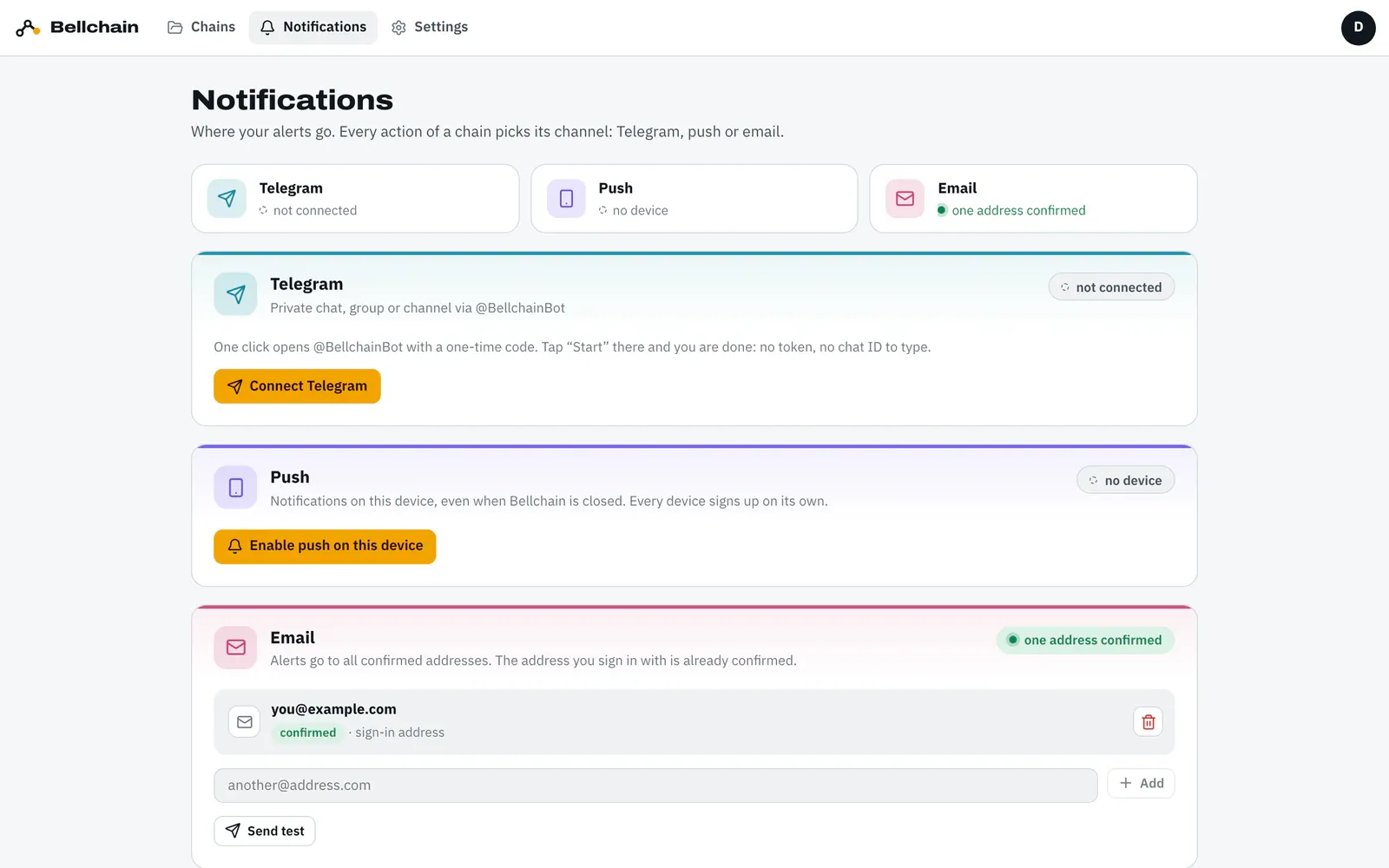
Testing
Section titled “Testing”Every channel has Send test. The test message takes the same path as a real alert, gets through even when muted and counts towards the daily limit. If it doesn’t arrive, see Troubleshooting.
How often you are notified
Section titled “How often you are notified”Bellchain only notifies you on a switch: an action fires when its input changes from false to true. If the condition stays true, no second message comes. On top of that there are three controls:
- Cooldown per action: “At most every … hours”, 4 by default. With 0 an alert comes every time the condition turns true.
- Cooldown as a node of its own when several actions should rest together.
- Time window with AND for quiet hours, such as no alerts at night.
Muting
Section titled “Muting”- One chain for 4 hours: the button “🔕 4 h” under a Telegram message or “Mute for 4 h” in an alert email.
- Everything:
/mute 4hin the Telegram bot,/mute offlifts it.
While muted, no messages go out by push, Telegram or email. The history keeps running, and so do webhooks.
Daily limits
Section titled “Daily limits”So that nobody accidentally gets thousands of messages, every plan has a daily limit, counted per calendar day in your time zone:
| Plan | Alerts per day | of which emails | Webhooks |
|---|---|---|---|
| Free | 100 | 20 | no |
| Pro | 1,000 | 200 | yes |
| Trader and trial | 5,000 | 500 | yes |
With many alerts Bellchain bundles emails: the first email goes out right away, further ones within 10 minutes arrive together in one email.