Price alert
For “tell me when BTC rises above $100,000” you don’t need the board. Price alert asks for a market, a condition, a value and a channel and creates a chain from it that runs right away. You find the button at the top of My chains and Alerts; if you have no chain yet, the price alert is the first option on the empty page.
How to create one
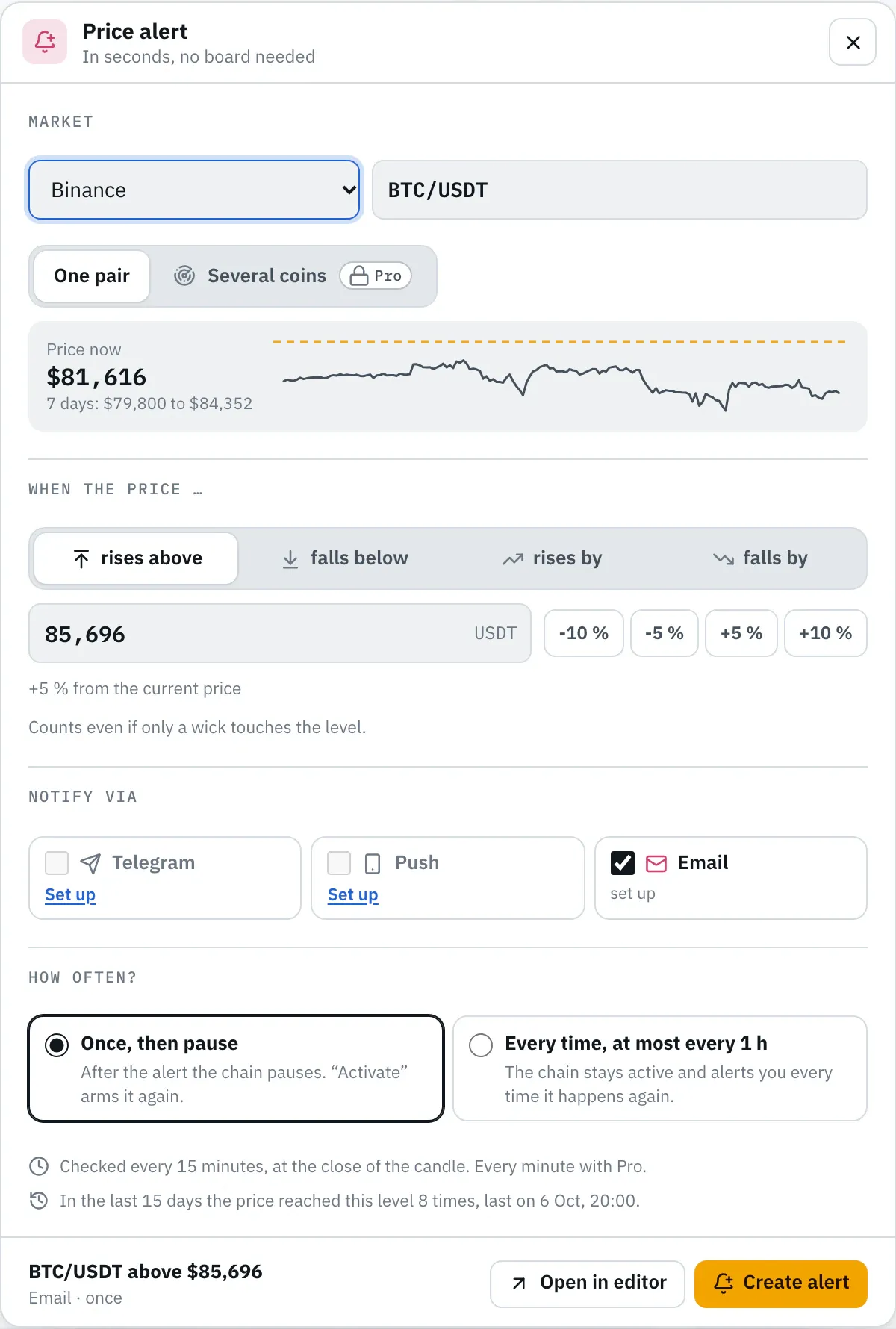
Section titled “How to create one”- Market: pick the exchange and the pair, for example BTC/USDT. A click into the field shows all of the exchange’s pairs, the common ones first; typing filters, and the buttons at the top of the list show only pairs against one currency, such as USDT or EUR. Below you see the current price, the range of the last 7 days and a small curve with your level.
- Condition: rises above or falls below a level, or rises by or falls by a few percent within 1, 5 or 15 minutes or within 1, 4 or 24 hours. 1 and 5 minutes come with Pro; on Free they show a lock. For “rises above” the dialog suggests a level 5 % above the price, for “falls below” 5 % below it; the ±5 % and ±10 % buttons set it anew. Type numbers with a point or comma; thousands separators are fine (“100,000”).
- Notify via: Telegram, push or email, several if you like. Anything not set up yet is set up under Notifications.
- How often: Once, then pause or Every time. More below.
- Create alert. The chain shows up under “My chains” and runs from the next candle close.
At the bottom the dialog shows how often the price would have reached the level in the last days, calculated like a replay: over 15 days on Free, otherwise over 7. So you see in advance whether a percentage fires too often.
Open in editor creates the same chain and opens it on the board, for example to add a condition like the RSI.
Several coins: for rises by and falls by you can also choose Several coins below the market instead of one pair, with a list of your own or as Top by volume, such as the 50 most traded coins against USDT, renewed every day. The dialog then creates a scanner that reports each coin on its own, with its own cooldown. The preview then counts all coins together and names the one that would have fired most often.
When it fires
Section titled “When it fires”- rises above and falls below check the candle’s high or low. A wick that briefly touches the level counts, even if the candle closes back below it.
- rises by and falls by compare the close with the price before the chosen time window, such as 15 minutes or 4 hours earlier.
- Checks run at the close of each candle: every 15 minutes on the Free plan, every minute from Pro. Pro checks moves over 1, 4 or 24 hours every 5 minutes. An alert therefore arrives up to one candle length after the price.
| Time window | Free | from Pro |
|---|---|---|
| 1 minute | – | every minute |
| 5 minutes | – | every minute |
| 15 minutes | every 15 minutes | every minute |
| 1, 4 or 24 hours | every 15 minutes | every 5 minutes |
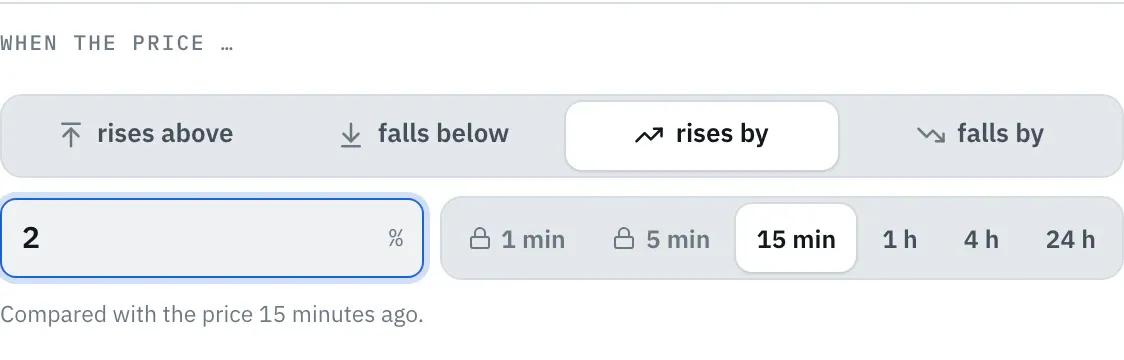
- If the price is already above your level when you pick “rises above”, the alert only fires after the price first drops below it. The dialog points this out and offers falls below.
Once or every time
Section titled “Once or every time”- Once, then pause (default for levels): after the first alert the chain pauses. “My chains” then shows “paused after its alert”. Activate arms it again.
- Every time (default for moves): the chain stays active and alerts you every time it happens again: for levels at most once an hour, for moves within 1, 5 or 15 minutes at most every 30 minutes, otherwise at most once per time window. That way a hectic phase does not send dozens of alerts.
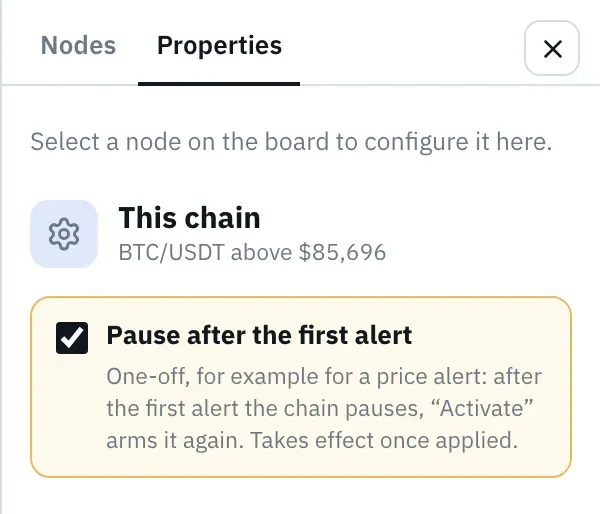
One-off works with any other chain, too: in the editor under Properties, with no node selected, there is Pause after the first alert. For an active chain it takes effect once you apply the change.
From an alert
Section titled “From an alert”Under Alerts every alert has the button Price alert for BTC/USDT in its “Why?” panel. It opens the dialog with that alert’s exchange and pair and suggests a level 5 % above its price. All conditions and time windows are available there, including 1, 5 and 15 minutes.
Version 2026.10.21.23 · Changelog