Take-profit and stop-loss
An alert is a signal, and signals are there to make money. Whether yours would have done so in the past is what the replay shows: it scores every alert as a trade with a take-profit (TP) and a stop-loss (SL) and tells you how often the price would have reached the TP and what would have been left after fees. This works without an account and on every plan, over the period of the replay: 15 days with Free, 90 days with Pro, a year with Trader and Community.
The take-profit (TP) is the price where you take the profit, such as 3% above the entry. The stop-loss (SL) is the price where you limit the loss, such as 1.5% below it. For a short it is the other way round: TP below the entry, SL above it. A trade ends as soon as the price reaches either of them.

Setting it up
Section titled “Setting it up”Above the list of alerts sits the bar:
- Long ▲ or Short ▼: long profits when the price rises, short when it falls.
- TP, such as “TP +3%”: here the profit would have been taken.
- SL, such as “SL −1.5%”: here the loss would have been limited.
The arrow keys on a chip move it one step, Page Up and Page Down three steps. A click opens the slider: TP and SL, suggestions in the ratio 1 : 2 (the TP twice as far away as the SL) and the fee per side. Everything recalculates right away, without running the replay again. Your browser remembers the setting per chain.
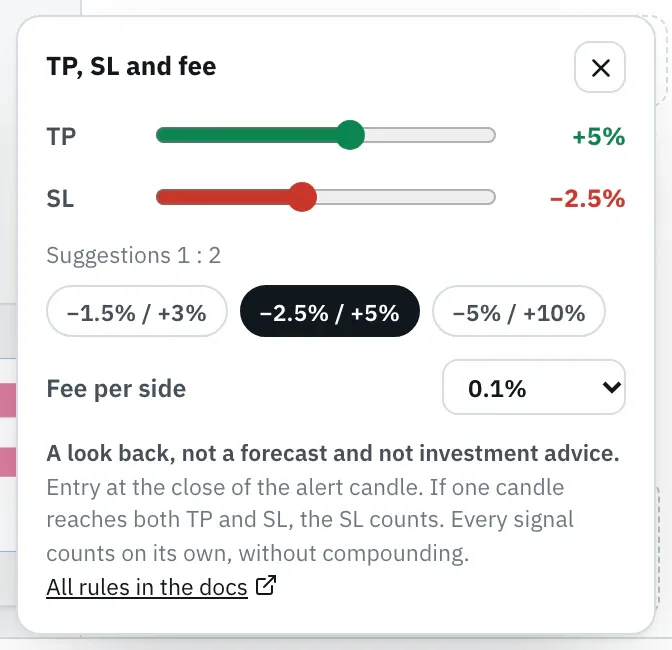
Unless you pick your own, the TP and SL that fit the timeframe of the candle apply. Templates bring their own.
| Timeframe | TP | SL |
|---|---|---|
| 1m to 5m | +1% | −0.5% |
| 15m and 30m | +2% | −1% |
| 1h and 2h | +3% | −1.5% |
| 4h to 12h | +5% | −2.5% |
| 1d | +10% | −5% |
| 3d and 1w | +20% | −10% |
| 1M | +40% | −20% |
Reading the hit chain
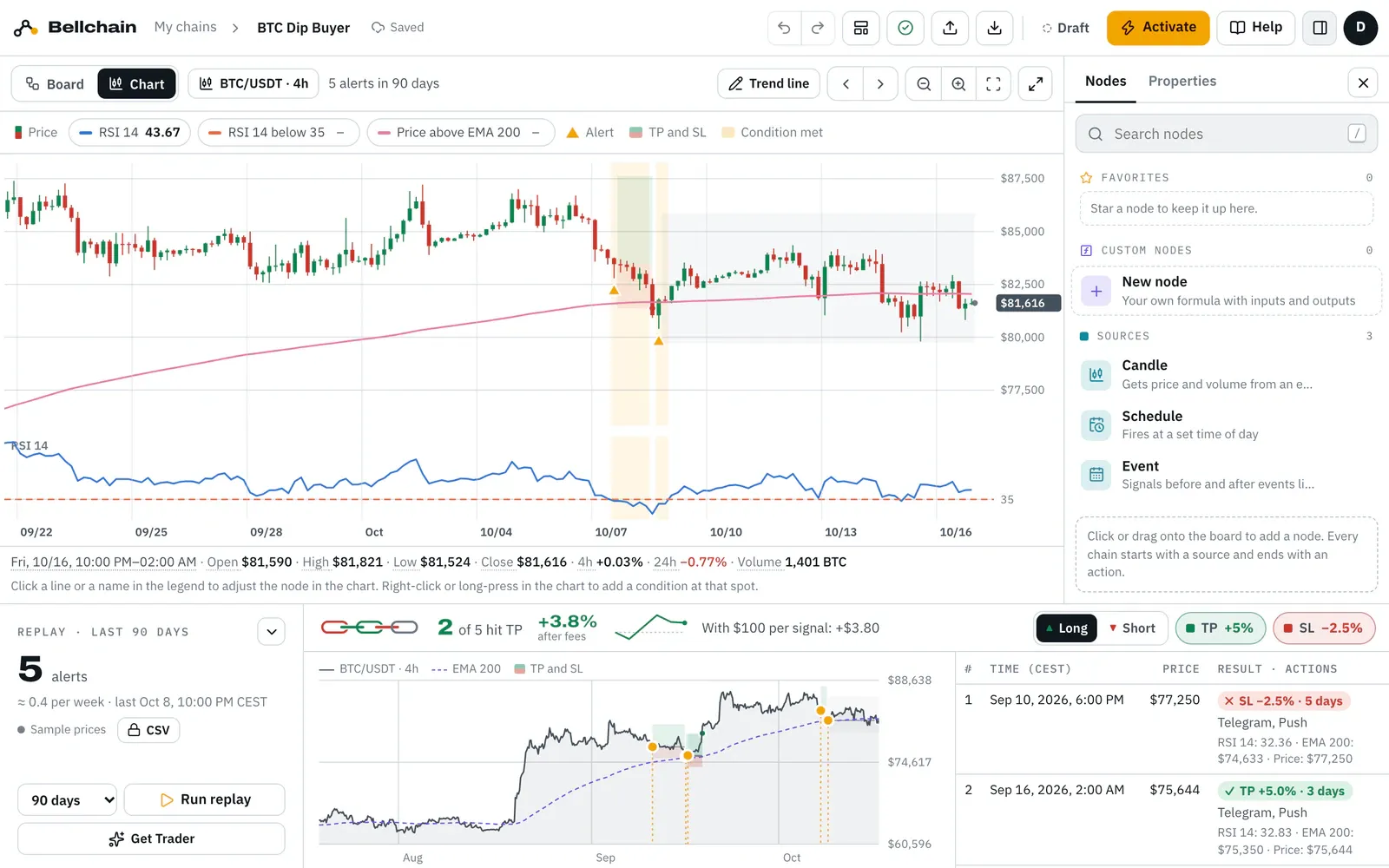
Section titled “Reading the hit chain”Every signal is one link of the chain, in order: green if it would have reached its TP, red at the SL, grey if neither came until the end. Next to it:
- “2 of 5 hit TP”: how many signals would have reached their TP.
- the sum after fees, such as “+3.8%”: the results of all signals added up, each with the same stake.
- the small balance curve after each signal.
- “With $100 per signal: +$3.80”: the same sum in dollars.
Pointing at a link highlights its alert in the chart and the list; a click selects it. The list shows the result of each alert with the time until the exit, such as “✓ TP +5.0% · 2 days”, “✗ SL −2.5% · 24 h” or “○ open −0.2%”. The tooltip gives the result after fees.
If the TP is twice as far away as the SL, more than a third of the signals reaching their TP leaves a plus before fees. That is why “2 of 5 hit TP” can still end in profit.
In the chart
Section titled “In the chart”In the price chart of the replay, a box runs from every alert to its exit, like TradingView’s position tool: green from the entry to the TP, red to the SL, the exit as a dot. If a signal stays open, its box is grey until the end. The same boxes sit behind the candles in the chain chart.
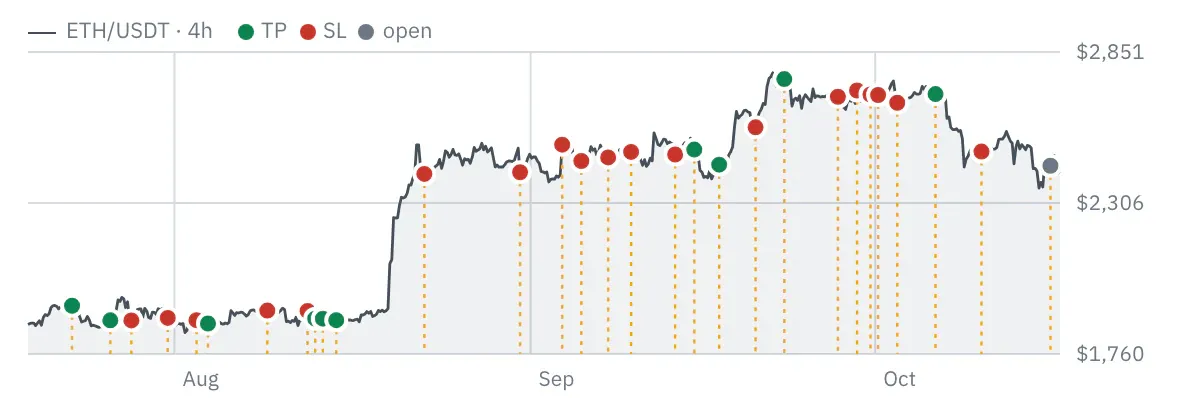
With more than five alerts in view the boxes would pile up. Then every dot, and every triangle in the chain chart, takes the colour of its result, and only the alert under the pointer gets its box. When the price chart shows bars per day for very many alerts, the bars are split by result.
Both directions: per signal
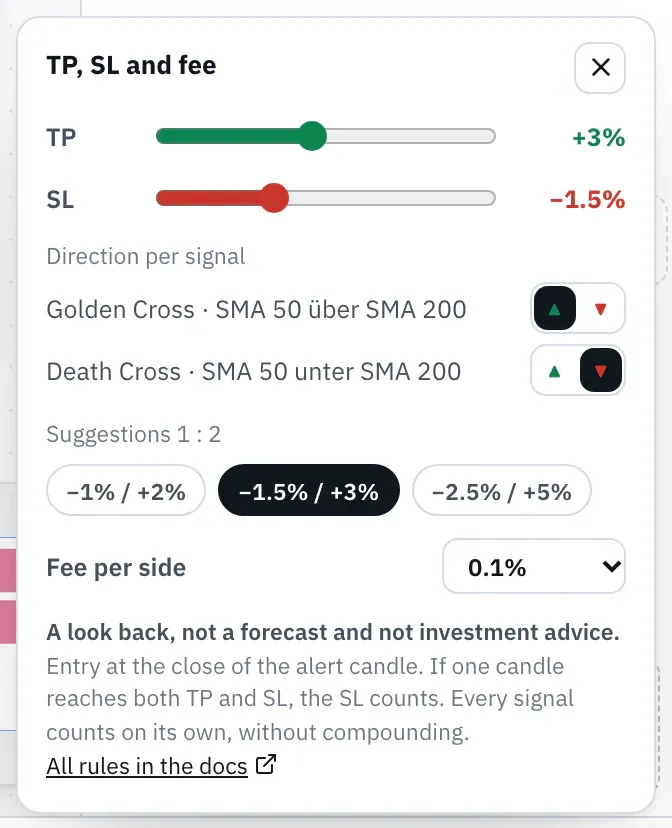
Section titled “Both directions: per signal”If a chain reports both directions with separate actions, such as the golden cross with one Telegram action and the death cross with a second one, pick Per signal in the bar. The slider then lists every signal with its direction, named after the message of its action. If the message has ▲ or ▼, as in the templates, Bellchain suggests the direction from it. Long or Short in the bar applies to all signals again.
The rules
Section titled “The rules”Scoring follows fixed, simple rules, the same for every chain:
- Entry at the close of the alert candle, because that is when the alert arrives.
- Every candle after it counts with its high and low: once one reaches the TP or the SL, the trade ends there.
- If one candle reaches both, the SL counts. A candle does not tell which came first.
- Gaps: if a candle opens beyond the SL, say after an exchange outage, its open counts. If it opens beyond the TP, only the TP counts.
- Fee per side, 0.1% unless you pick another, on entry and on exit.
- Every signal counts on its own, with the same stake and without compounding, even if signals overlap.
- Open means: neither TP nor SL until the end of the period. It is valued at the last price, with both fees.
With very many alerts the replay scores the first 2,000 and says so.
In the templates
Section titled “In the templates”Templates that report an entry bring a TP and an SL: fitting their timeframe and in the direction their signal names with ▲ or ▼. The gallery in the editor and the template pages show the result of the test with the sample prices, such as “2/5 hit TP (90 days)”. Warnings such as the crash alarm have none.
Through the API and with AI assistants
Section titled “Through the API and with AI assistants”POST /api/v1/replay returns the balance as trades and the outcome of each recent alert; send your own values with trade, see API. The replay_… tools of the MCP server state the balance in their first sentence.
Version 2026.10.24.21 · Changelog